WooCommerce Square Sync: Keep Stock, Prices and Counter Sales in Step
WooCommerce Square sync done properly: stock, prices and counter sales stay in step, wholesale and member prices show to the right people, and promotions go out from one place.

By Boostable · 17 October 2026
Websites and SEO for Australian businesses · ~12 min read


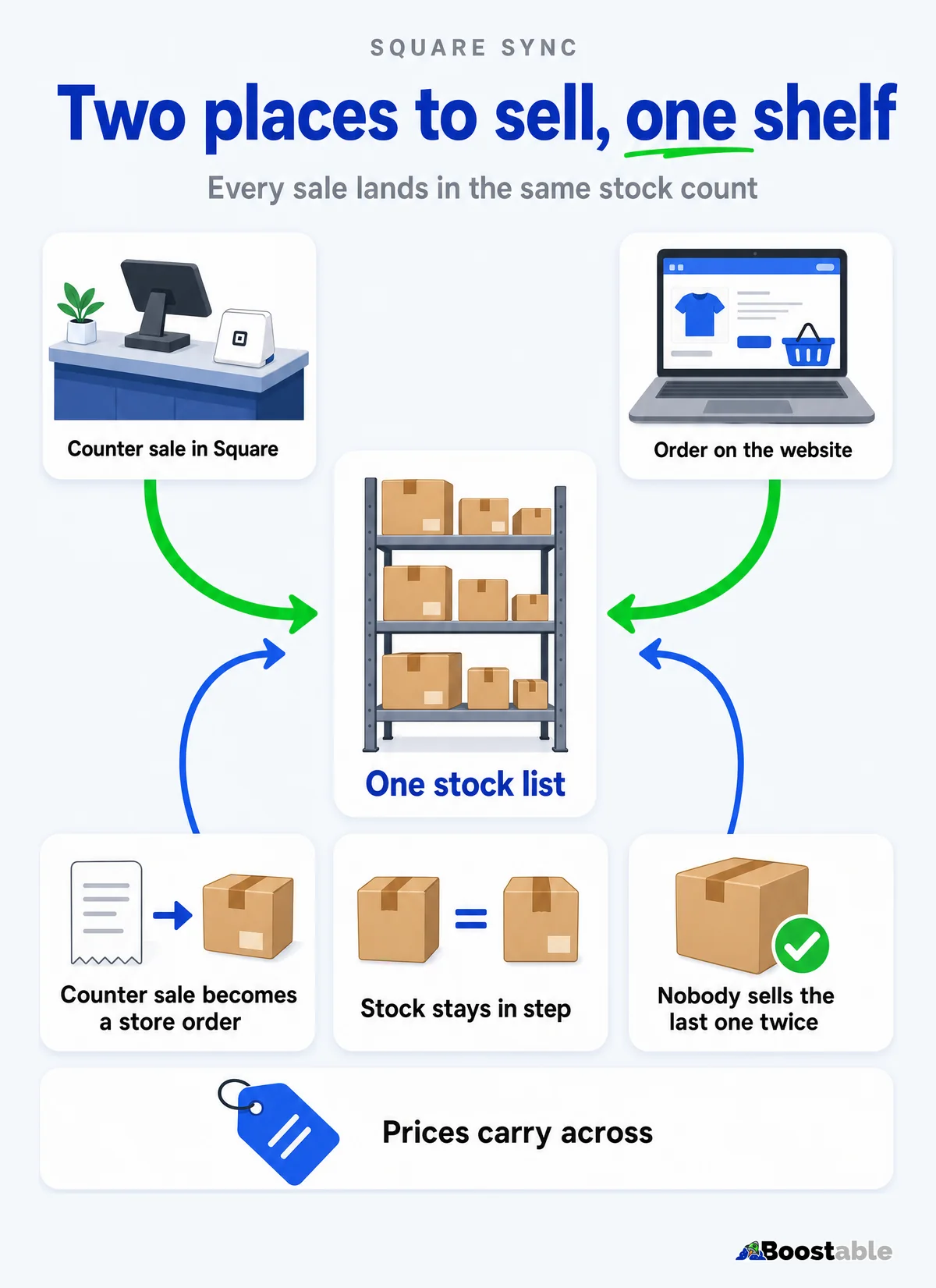
A WooCommerce Square sync earns its keep on the busiest afternoon of the week. Somebody buys the last pair at the counter, somebody else has the same pair in their online cart, and the store has to know which of them gets it. When the sync is done properly, nobody has to retype a stock count, and nobody sells the same item twice.
This post covers what we keep in step between a WooCommerce store and Square, how the store shows different prices to different customers, and how a promotion goes from your inbox to your customers' phones. The examples come from a WooCommerce store we run, connected to a Square account that also runs the counter.
Why the connection exists at all
Square is the point of sale WooCommerce itself backs. In May 2025 WooCommerce named Square its preferred POS integration for merchants in eight markets, Australia among them[1]. WooCommerce's own listing describes the job as keeping your product names, prices and stock levels in step across both[2].
That is the baseline. A store that sells in person and online also needs answers to the questions the baseline leaves open. Which side is the boss for stock? What happens when a counter sale lands while a website order is in progress? Who sees which price? We answer each of those on purpose, for each store.
What travels, which way, and how fast
| What | Which way | How quickly |
|---|---|---|
| Stock counts | Square to the website | Pulled about every hour; the website holds back what's in open orders in between |
| Retail prices | Square to the website | With the regular product update |
| Wholesale prices | Set on the website only | Square never sees them |
| A counter sale | Square creates the order in the store | Within moments, with a regular check for anything missed |
| A card order online | Recorded in Square | At payment |
Square is the source of truth for stock. Your team never types a stock count into the website, so there's only one number to get right, and it's the one your counter already uses.
Counter sales that become store orders
Boostable exclusive When someone pays at the counter, the store creates a matching order for that sale. The mechanism is a Square webhook, a notification Square sends to a connected system when an event such as a payment happens[3]. The order appears in the store within moments, dated when the sale happened. A regular check runs every five minutes and brings in anything that didn't arrive the first time.
The staff email that says "new order" doesn't go out for in-store sales. Your team already knows about them, because they rang them up. The store simply records the order, so your reports, your stock and your customer history include the sale.
The sale is rung up
A customer pays at the counter and Square records it as it always does.
The store records the order
Items, totals, discounts and the date of the sale, matched to the Square order.
A check catches the rest
Every five minutes the store looks for any sale it hasn't recorded and brings it in.
Stock that doesn't get promised twice
Square's count reaches the website about every hour. A shop that sells quickly needs more than that, so the website keeps its own calculated "available" figure for each item. Stock held by open orders on the website is subtracted from what the website offers, and Square's own count is left untouched. The shopper sees what is genuinely available, and your till still shows what's physically on the shelf.
An online card order is recorded in Square at payment, and the stock comes off there too. So a paid website order and a counter sale draw from the same count.
For a shop with a long catalogue, this is the difference between a website you trust and one you have to second-guess. If you'd like to see the underlying idea, WooCommerce's own listing says the same thing in one line: stock levels kept in step across both[2].
A busy Saturday, followed through
Take a shop with a long catalogue and a full counter. At the counter, a customer buys a rug and the sale is rung up in Square as usual. Square's count drops, and within moments the store has a matching order, dated for the sale, with the same items and the same discount.
Online, another customer puts the last rug in a different size into their cart and pays by card. That payment is recorded in Square and the stock comes off there too. A third customer on a trade account chooses pay by invoice, and the invoice is created in Square, the way we described in the pay by invoice post.
Three customers, three ways of paying, one stock count. At the end of the day your reports agree with the till, and nobody had to reconcile two spreadsheets to find out why.
One store, the right price for each customer
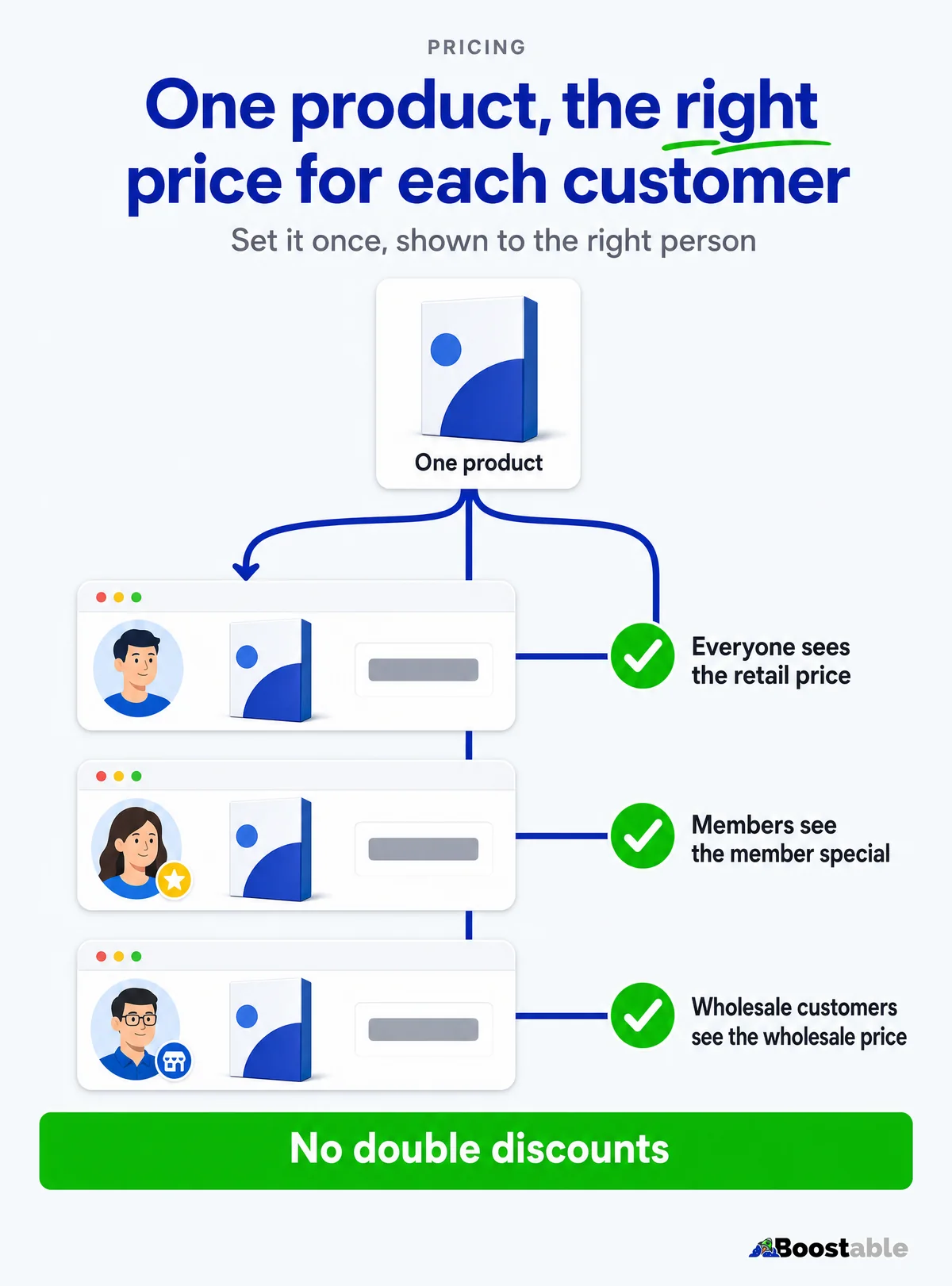
Retail prices come from Square. Wholesale prices don't, and that's deliberate. They're set on the website, on every product and every variation, so a wholesale customer sees the right price whichever size or colour they open.
WordPress sorts customers into roles. A role is a group, and each group has its own set of capabilities, so what a customer sees and can do changes with the group they belong to[4]. We use that to give each type of customer the store that suits them:
✓ Wholesale customers
- Their own wholesale price on every product
- Payment options that suit trade, such as bank transfer
- No public coupons or deals page
✓ Retail customers and members
- Retail prices, with member specials applied at the cart
- The deals page, with a countdown on each deal
- Cards, wallets and instalment options at checkout
Tying the price to the login has a practical benefit. A discount code can be forwarded, posted in a group chat or typed in by a customer who was never meant to have it. A role belongs to an account, so the wholesale price shows only to the people you've approved. Your trade customers don't have to remember anything, and your retail customers never see a price that isn't theirs.
Boostable exclusive The store also stops two discounts landing on one item. A clearance item carries a sale price for everyone, with no coupon. A special is a coupon. The two never stack, so a promotion can't quietly cut your margin twice.
"Great service, no stress, gave him my requirements and he listened and returned a sample very quickly, made some tweaks and was up and running in no time, replies to questions quickly. He knows his stuff, I highly recommend Tamhas to take care of your website & IT needs."
Luigi Bonacci ★★★★★ Verified Google review
Shop as Customer, for your own team
A trade customer rings and wants to order. Your team could take the details, then work out their price by hand. Or they can switch into that customer's account and place the order the way the customer would, at the customer's own prices.
Boostable exclusive We took that further. From inside a customer's account, your team can send a request to pay, so the customer receives a link and settles it themselves. They can also add the courier and the postage at checkout, which suits wholesale freight orders where the postage is quoted by hand. There is a guest option too, for someone who isn't in the system yet.
The same switch is the quickest way to answer "why can't I see that price?" Your team opens the store as that customer and looks.
Membership from a simple pop-up
A simple pop-up invites a visitor to become a member. When they join, the store creates their account and logs them in at once. They land straight on the deals page and see member prices the moment they arrive.
Boostable exclusive There is no email to wait for before they can shop. They're added to your email list only after they confirm their email address, so your list holds people who meant to be on it. Sign-ups are rate-limited and checked for bots, so the form doesn't fill with rubbish.
Members get the live specials automatically at the cart, with no code to type. Signed-in members also see an invitation to switch on push notifications. A push message appears on a customer's phone even when they aren't on your website[5], and the shopper has to say yes first[5].
Before the store, the customers. Our free review system puts a QR card in every parcel and gets your Google reviews moving.
Get the free review systemA deals page that runs itself
Boostable exclusive Deals live on a single page, newest first, each with a countdown. When a deal ends it shows as just ended for a while, then drops off. Items that are out of stock are hidden, so nobody clicks a deal they can't buy. Wholesale customers don't see the page.
Percentage off
A set percentage off chosen products, with a start, an end and a countdown.
Dollars off
A fixed amount off each chosen product, applied automatically for members at the cart.
A fixed sale price
Clearance items carry a sale price for everyone, with no code to enter.
Tell us the offer you want to run and we'll tell you whether it fits one of these three, or what it would take to set it up for your store.
Promotions from your inbox
Writing a promotion usually means opening three tools: the email software, the push service, and a landing page. We turned it into an email.
Boostable exclusive You email us what you want to promote. We draft the email, the push message and a landing page from your live products and prices, then send you the draft. Nothing goes out until you reply to approve it. You keep the final say without learning any of the software.
You email the idea
"Twenty per cent off winter rugs until Sunday." That is the whole brief.
We draft it from live data
The email, the push message and the landing page use your real products and prices.
You approve by replying
Change what you like. Reply when you're happy.
It goes out
Your members get the email, and anyone who's said yes gets the push message.
Each piece does its own job. The push message is short by nature, so it carries one line and a reason to tap. The email carries the detail. The landing page carries the deal itself, with the countdown running, so the customer arrives at the offer and not at a list of products to hunt through. Because all three are drafted together from the same live data, the price in the email is the price on the page.
"Tamhas has been amazing. He not only built my website but helped me create a successful business online. He is dedicated and always willing to help. Tamhas has been doing work for us since 2014 and we could not be where we are without him and his wizard like website skills. Thanks mate your not only great at your job but a top quality guy. Perth Fence ;)"
Perth Fence ★★★★★ Verified Google review
Who this suits
This setup earns its keep for a business with a physical counter and a catalogue big enough that nobody can hold every price in their head. Horse gear, hardware, pet supplies, bikes, boutique retail and rural suppliers all fit. It suits a shop that sells to both the public and the trade, and it suits one that wants a members' list without running a loyalty program by hand.
It's less of a fit for a business with a handful of products and no wholesale customers. In that case Square Online on its own does the job, from our Square setup, and you can move up to WooCommerce later without starting over.
Three ways a connected store goes wrong
- Two places to type a stock count. If anyone can edit stock in the website and in Square, sooner or later the two disagree. Pick one source of truth and keep it that way.
- One price list for everyone. A store with trade and public customers that shows one price is either overcharging a wholesaler or underpricing the public. Roles solve it[4].
- Stacked discounts. A sale price plus a coupon plus a member special can drop a margin below zero. Decide which one wins before the promotion starts.
What it takes to set up
The connection runs on your Square account and a WooCommerce store, either the one you have or one we build. We start by reading your Square catalogue and agreeing the rules: which side owns stock, which prices live where, which customers see what.
We read your Square account
Products, variations, how you price and where the stock sits.
We agree the rules
Who owns stock, which prices live where, who sees what.
We connect and test
A real counter sale and a real website order, to see both land.
You get the keys
A walkthrough, and the promotion workflow ready to use.
Getting new customers to the store is a separate job from keeping it in step, and it's the one Boostable SEO does. We quote the build for your business after a free call, so you know the price before you spend anything.
- Make a counter sale and watch the website. Does the order appear? Does the stock change?
- Look at one product on the website and in Square. Do the price and the stock agree?
- List your customer types. Public, members, trade. Does each one see the price you intend?
- Write down your next promotion in one sentence. If you had to open three tools to send it, that is the job to take off your plate.
If you'd like us to do it with you, see how WooCommerce and Square work together, or book a free call and we'll look at your Square account with you.
The short version
A WooCommerce Square sync should keep three things in step: stock, retail prices and counter sales. Square owns the stock, a counter sale becomes an order in the store within moments, and the website holds back what's in open orders so the last item isn't sold twice. Wholesale, retail and member customers each see their own prices, and a deal can't stack on a sale price. Your team can shop as a customer, members join with a pop-up, and a promotion starts as an email from you and ends as a message on your customers' phones, after you approve it.