What Are Square's Fees in Australia? Every Charge, in Plain Numbers
Square fees in Australia, explained with dollars: 1.6% in person, 2.2% online, what a $100 sale costs you, the hardware prices, the software plans, refunds, GST, and what changes when card surcharges end on 1 October 2026.

By Boostable · 16 September 2026
Websites and SEO for Australian businesses · ~14 min read

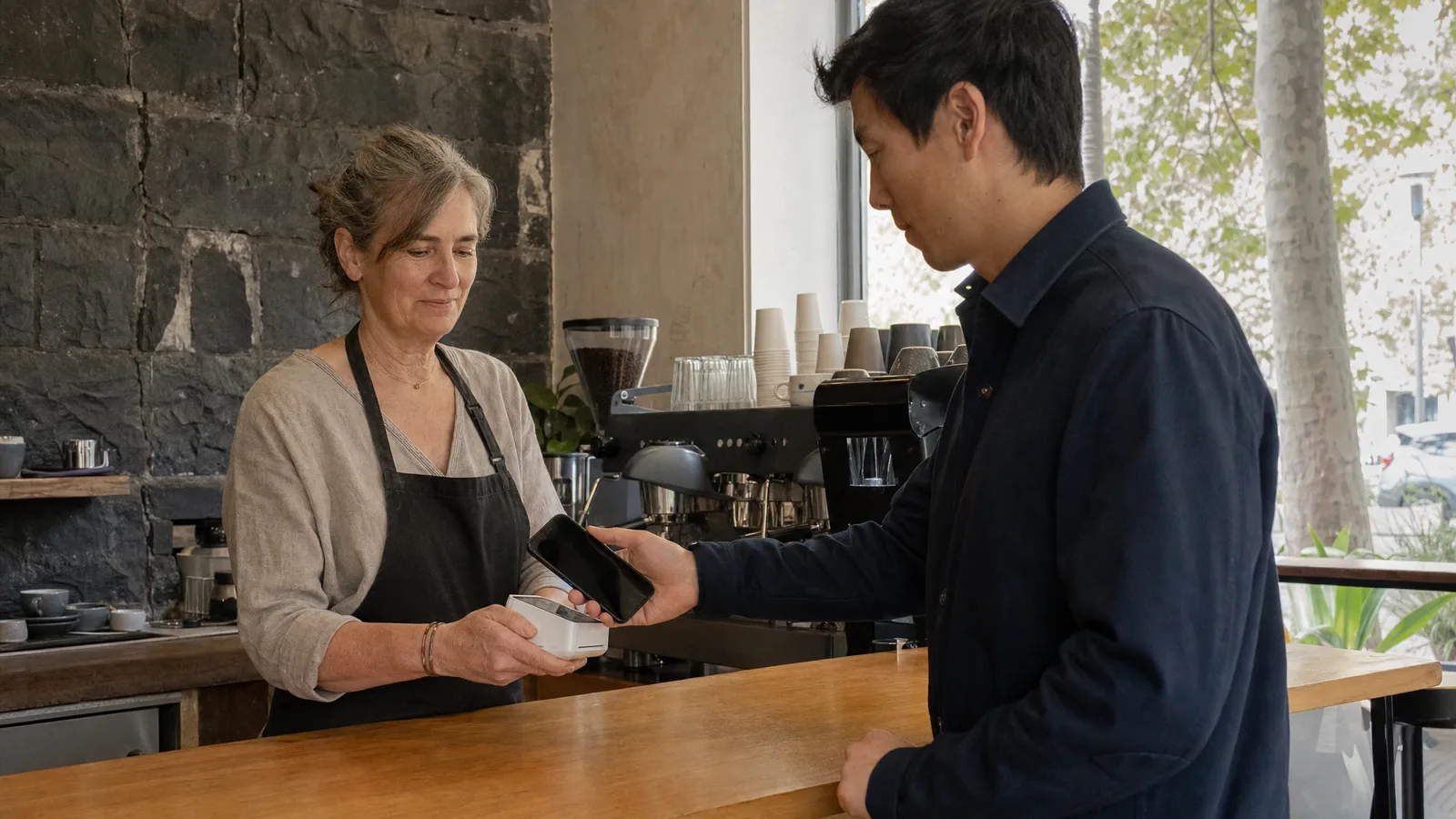
Square fees are the first thing every Australian business owner asks about and the last thing most of them actually work out. The short version is simple: 1.6% when a customer taps a card in person, 2.2% when they pay online or you key the card in, no monthly fee for the point of sale, and the money in your bank the next business day.[1] The long version is the one that matters when you are deciding between Square and a bank terminal, or working out why your takings are a little short of what the till says.
We set up Square Online stores and online ordering for cafes, caterers, tradies and shops right across Australia, so we see these fees in real businesses every week. Below is every charge Square publishes for Australia, what it does to a $100 sale, the one-off hardware prices, the monthly plans you can turn on or leave off, what happens with refunds and GST, and one thing that changes on 1 October 2026: card surcharges end, so you can no longer pass the 1.6% on to your customer.[8]
Every number here is Square's own published Australian pricing at 15 September 2026, linked in the sources at the bottom. Square changes prices, so check the pricing page before you sign anything, and treat this as the plain-English reading of it.
- Square POS Australia: which hardware suits your business, and the online ordering most Square businesses never get to.
- Square EFTPOS: how it works in Australia
- E-commerce with Square, WooCommerce or Shopify: keep your Square, add a real website
The fees Square charges in Australia
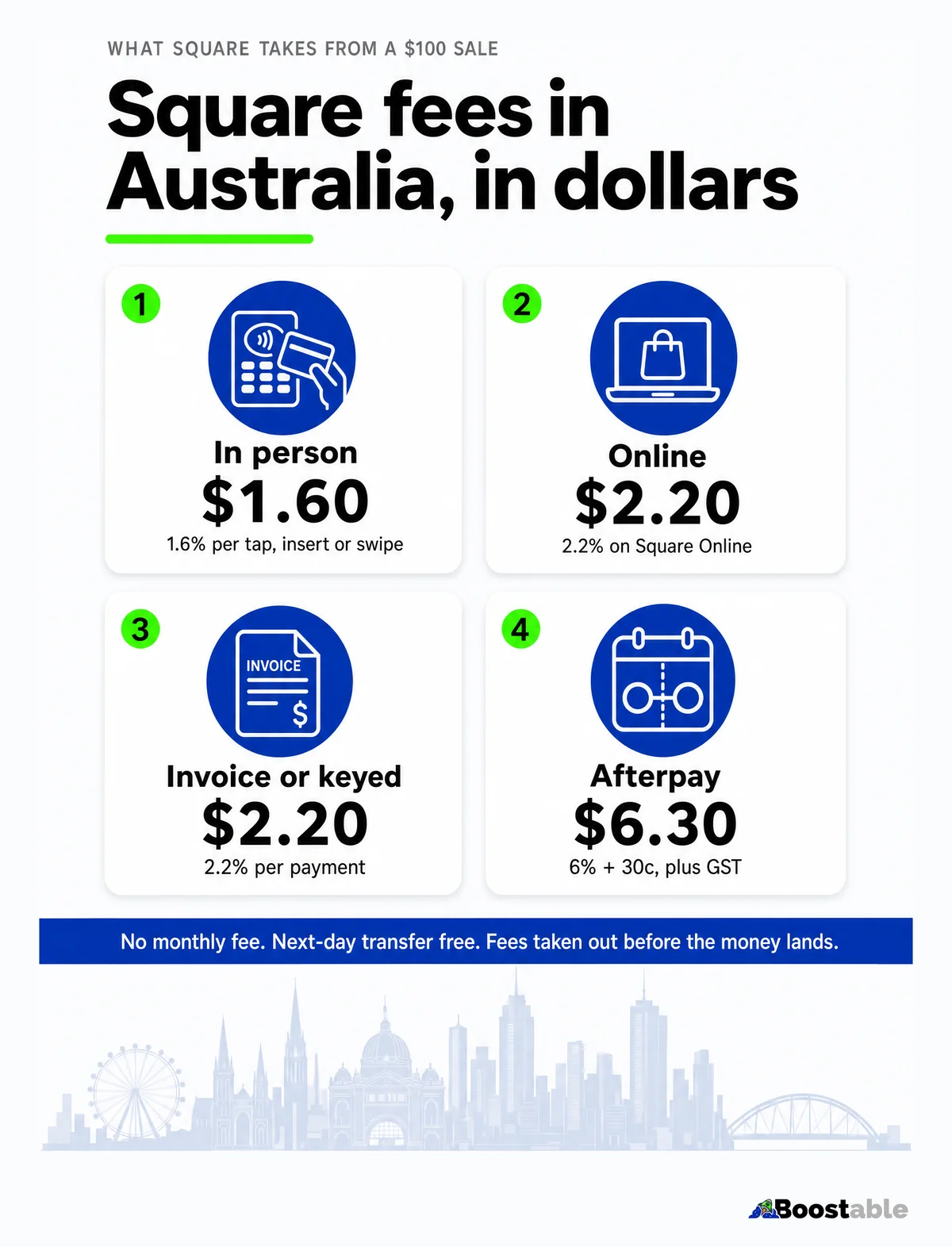
Square has one pricing model everywhere: a percentage of each payment, taken out before the money is transferred to you, and no charge for the software that runs the till.[2] The percentage depends on how the card reaches you.
Two things to notice. First, the in-person rate is the same on the $65 Reader as on the $1,099 Register, so buying dearer hardware does not buy a cheaper rate.[1] Second, the online and keyed rates are higher because the card is not present and the risk of fraud is higher; that is true of every payment provider, not only Square.
Square also says its rates already include the card networks' own charges: "Credit card fees are included in Square's fees, so there are no charges from credit card companies."[2] That is the practical difference from a bank merchant facility, where the interchange, the scheme fee and the bank's margin can arrive as separate lines. With Square there is one line.
What Square takes from a $100 sale
The question people actually type into Google is "how much does Square take from a $100 sale", so here it is, and then the version that matters more, because in Australia the sale is usually $110 with GST and Square's percentage applies to the whole amount the customer paid, GST included.
| How the customer pays | Rate | On $100 | On $110 (incl. GST) | You receive |
|---|---|---|---|---|
| Taps a card at the counter | 1.6% | $1.60 | $1.76 | $108.24 |
| Orders on your Square Online store | 2.2% | $2.20 | $2.42 | $107.58 |
| Pays a Square invoice by card | 2.2% | $2.20 | $2.42 | $107.58 |
| Chooses Afterpay | 6% + 30c + GST | $6.93 | $7.59 | $102.41 |
The Afterpay line is the one to think about. On a $110 coffee-and-cake order it is more than four times the tap rate. Afterpay is worth turning on where it genuinely lifts the size of the sale, which for most retailers means the $200 jacket, not the $12 lunch. Square lets you accept it or not; the rate is only paid on the customers who choose it.[1]
The fees that are not there
Half of what makes Square cheap for a small business is the list of things it does not charge for, and Square publishes that list. Its Australian fees article says there are no hidden fees for activation, downloading the app, "chargebacks and dispute management – no dispute fees (generally $15–$25 per dispute)", support, advanced reporting, account inactivity, PCI compliance, next-day transfers, or early termination.[2] The pricing page puts it more bluntly: no setup fees, no lock-in contracts.[1]
The dispute fee is the one most people underrate. A bank facility will often charge a fee every time a customer disputes a payment, whether you win or lose. Square charges nothing to manage the dispute, though you still lose the money if the dispute goes against you, so the usual advice stands: tap or insert cards rather than keying them, and keep receipts and delivery confirmations.
Free with Square
- The point-of-sale software, on any number of devices
- Next-day transfers to your bank
- Chargeback and dispute handling
- Support, reporting, PCI compliance
- Leaving. No contract, no exit fee
Paid, and easy to miss
- Instant transfers: 1.5% of the amount, every time you tap the button
- Afterpay: 6% plus 30 cents plus GST on those sales
- Refunds: the fee on the original payment is not returned
- Software plans you switch on: Plus from $40 a month, Loyalty from $49, and so on
- The 1.9% legacy rate, if you signed up before 30 May 2024 and use a Reader or Stand
Instant transfers deserve a sentence on their own. Next-day transfers are free, and for most businesses next day is fine. The 1.5% instant option exists for the Friday afternoon when wages are due and the takings are still in Square. Used every day it is nearly as much again as the card fee itself; used twice a year it is cheap. Know which one you are.[1]
Hardware: what you pay once
Square sells its hardware outright, with interest-free monthly instalments on most of it, and every device pays the same 1.6% per in-person payment. Square sells and ships the hardware and its support team gets it running; we do not sell terminals and we do not install them. These are the current Australian prices.[1]
| Device | Price | Or per month | Who it suits |
|---|---|---|---|
| Tap to Pay on iPhone or Android | Free | – | Anyone starting out, mobile trades, markets. Your phone is the terminal. |
| Square Reader | $65 | $22 over 3 months | The $65 option for the ute, the stall and the sole trader. |
| Square Stand | $149 | $25 over 6 months | A shop or cafe counter that already has an iPad. |
| Square Kiosk | $149 | $40 over 3 months | Self-ordering for a busy counter. The kiosk software is a separate monthly charge. |
| Square Terminal | $329 | $28 over 12 months | The all-in-one with a receipt printer. The most common choice we see in cafes. |
| Square Handheld | $349 | $30 over 12 months | Table service, queues, anywhere staff walk to the customer. |
| Square Register | $1,099 | $92 over 12 months | A busy retail counter that wants a customer-facing screen and nothing else to buy. |
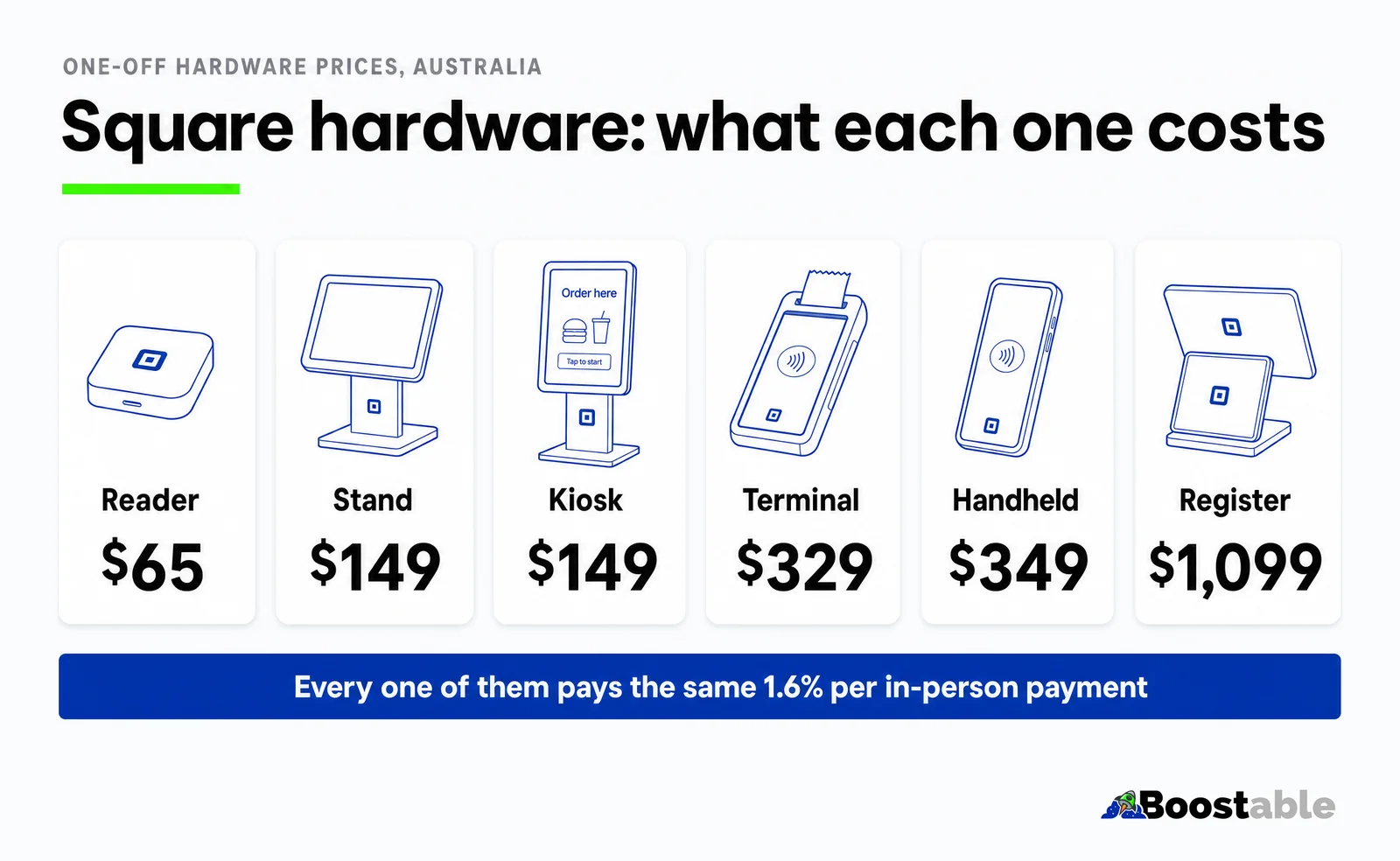
The way to read that table is by where you take the money, not by budget. A mobile dog groomer needs the Reader and nothing else. A cafe wants the Terminal because it prints receipts and needs no iPad. A busy bottle shop wants the Register. The temptation to buy the Register "to grow into" costs $1,034 more than the Reader and does not change the fee on a single sale.
The software plans, and which ones you actually need
This is where Square's pricing page gets busier, and where a lot of "Square is expensive" complaints come from. The point of sale is free. The things that cost a monthly fee are optional layers on top of it, and most small businesses need none of them on day one.[1]
Free, or Plus from $40 a month
Free runs a till, inventory, reports and staff on any number of devices. Plus adds the deeper retail and restaurant features. Start free; upgrade when a specific feature is costing you time.
Free, Plus $36, Premium $99 a month
All three take 2.2% per online order. Free gets you a store and ordering. Plus is the one you need for your own domain name, and it is what we set up. Premium is for high volume.[5]
Free, or Plus $30 a month
Unlimited invoices, estimates and contracts on the free plan. Plus adds milestone payments and batch invoicing, which matters if you are a builder, not if you are a florist.[6]
Free for one location, $40 or $90 per location
Salons, barbers, clinics. Free covers a single location with online booking; the paid tiers add staff, no-show protection and multi-location.[7]
Loyalty from $49, Email from $20, Kitchen Display from $25 a device
Loyalty pays for itself fast in a cafe with regulars. Email marketing is cheaper than it looks once you have a customer list. The kitchen display only matters once orders are coming in online.[1]
Our rule with clients: turn on the free tiers of everything, run for a month, then pay for the one thing you keep wishing worked better. The only paid plan we put on from the start is Square Online Plus, because a store on your own domain is the difference between a website and a page on Square's.
Already on Square and the online store is still sitting there half built? We get it live on your own domain this week, from $295, and put the free review card in every bag.
Book a free setup callRefunds, chargebacks, GST and the 1.9% rate
Refunds. When you refund a customer, Square gives them their money back in full and does not give you the fee back. Square's own words: "When you refund a payment, the processing fees for the payment aren't refunded back to you."[3] On a $110 refund that is $1.76 gone. It is not a big number, but a shop with a generous returns policy should know it is there. Refunds can be issued for up to a year after the original payment.[3]
Chargebacks. No fee to manage a dispute, as above. If the customer's bank rules against you, the payment is reversed. The best protection is boring: tap and insert cards, keep receipts, and for online orders keep the delivery confirmation.[2]
GST. Square takes its percentage from the whole amount the customer paid, GST included, which is why the $110 column above is the one to use. For your own books, Square puts a tax invoice in your dashboard on the fifth day of each month covering the fees you paid the month before, so your bookkeeper can claim the GST on them.[4] The only rate Square quotes excluding GST is Afterpay's.[2]
The 1.9% rate. If your statement shows 1.9% on in-person payments, you signed up before 30 May 2024 and you are taking payments on a Square Reader or Square Stand. Square's 1.6% rate applies to sellers who joined on or after that date, and to everyone on Square Terminal and Square Register.[1] Square also says custom rates may be available for businesses processing more than $250,000 a year, which is a conversation worth having if you are a busy venue.[1]
"Constructed an awesome website with woocommerce in 48 hours from my basic description. It turned out better and had more features than I had even hoped for. No fuss, good communication and the job was done."
Wet Electronics ★★★★★ Verified Google review
Can you pass Square's fees on to customers? Not after 1 October 2026
For years the answer has been yes: Square lets Australian sellers add a card surcharge, and plenty of cafes have a "1.5% on card" sign at the register. That ends on 1 October 2026. The Reserve Bank's review of merchant card payment costs concluded in March 2026 with a decision to remove surcharging on debit, prepaid and credit cards on the eftpos, Mastercard and Visa networks, and the RBA says "the three designated card networks, eftpos, Mastercard and Visa, have each decided to introduce 'no-surcharge' rules from 1 October 2026."[8][9]
There is no small-business exemption. The RBA's own FAQ says businesses "would not be exempt from the removal of surcharging unless a card network's rules provide an exemption or an exemption is provided by law or regulation."[8] Its advice on what to do instead is plain: "Businesses will still incur costs when accepting card payments after surcharging is removed. Those costs can be reflected in a business's overall pricing, rather than charged as a separate surcharge."[8]
The RBA is lowering the caps on the interchange fees that sit inside everyone's card costs at the same time, and expects that to lower businesses' costs of accepting cards.[9] Whether and how that reaches a flat-rate customer like a Square seller is Square's decision, so watch the pricing page in October. In the meantime the practical job for a Square business is to take the surcharge sign down before 1 October, work the 1.6% into the menu or the price list, and stop thinking of it as a separate cost. It is the cost of taking money, the same as the rent is the cost of having a counter.
Turn off any card surcharge in your Square settings, reprice so the 1.6% is inside the ticket price, and take the sign off the counter. The networks' no-surcharge rules apply from that date, with no exemption for small business.[8]
Is Square worth it at 1.6%?
The honest comparison is not 1.6% against the bank's percentage. It is the whole cost of taking money over a year, against the whole cost with the bank, and the bank's number has parts Square's does not: a monthly terminal rental, a minimum monthly fee on some plans, dispute fees, and a contract with an exit fee if you leave early. Square's number is the percentage and the one-off hardware, and that is it.[1][2]
For a business under a few hundred thousand dollars a year in card takings, no monthly fee almost always wins, and the businesses we see move away from Square are the ones that outgrow it: a supermarket-sized card volume, where a negotiated bank rate below Square's starts to add up. If that is you, ask Square about its custom rates first; it is a phone call and it has been known to close the gap.
For everyone else the maths is short. A cafe taking $8,000 a week on cards pays Square about $128 a week, or roughly $6,600 a year, with nothing else to pay and no contract. If you have never sat down and done that sum for your own takings, do it tonight; it is the number every other decision on this page hangs off.
"Thank you so much Tamhas for being so honest, hardworking and proactive on our website and marketing endeavours. Tamhas and the team worked on our catering business website in Melbourne and did a phenomenal job on what was a clunky old site that broke all the time. Look forward to a great working relationship moving forward."
Food Hugs ★★★★★ Verified Google review
How to pay less in fees, legitimately
You cannot make the 1.6% smaller, and after 1 October you cannot pass it on. What you can do is stop paying the fees that are not Square's, and stop paying Square's dearer rates where the cheaper one would do. This is the list we go through with every business we set up.
- Move your regulars off the marketplace. A delivery marketplace commonly takes around 30% of an order; your own Square Online store takes 2.2% plus whatever you charge for delivery. Same food, same customers, a fifth of the fee. Square's own store page does the sum on that assumption.[5]
- Stop tapping "instant transfer" by habit. Next-day is free. Instant is 1.5%. Use it for the emergency, not for Tuesday.[1]
- Get cards tapped, not keyed. A keyed payment is 2.2% and easier to dispute. If a customer is standing in front of you, the card goes on the reader.[1]
- Turn Afterpay on where it lifts the sale, off where it does not. 6% plus 30 cents plus GST is fine on a $300 sale you would not otherwise make and silly on a $12 one.[1]
- Check your rate. If you see 1.9%, you are on the pre-May-2024 Reader or Stand rate. Ring Square. If you take more than $250,000 a year, ask about custom rates while you are there.[1]
- Pay only for the plans you use. Free POS, free Invoices, free Appointments for one location. Square Online Plus for your own domain. Everything else waits until you can name the problem it solves.[1]
- Put the review card in every bag. It costs nothing and it is the one thing on this list that brings customers in rather than trimming what goes out.
The short version
Square fees in Australia are 1.6% in person, 2.2% online or keyed, and 6% plus 30 cents plus GST on Afterpay, with no monthly fee for the point of sale, free next-day transfers and no contract. Hardware is a one-off from $65. The paid plans are optional layers, and the only one most small businesses need from day one is Square Online Plus, for a store on their own domain. Refunds do not return the fee, instant transfers cost 1.5%, and from 1 October 2026 the fee is yours to build into your prices, because card surcharges are finished.
If you are on Square and the online side is still a job for next month, that is the part we do: your Square website and online ordering live on your own domain this week, then the review system, then, when you want new customers rather than more from the ones you have, the SEO. Start on the Square POS Australia page, or tell us what you sell and we will tell you what to set up first.