
Check Your Google My Business Listing: Nine Things That Break Quietly
Wrong hours. An old phone number. A permanently closed label planted by a stranger. Your Google My Business listing changes without you, and most are broken in at least one way. Here is the ten-minute check, what to fix, and how to stop it happening again.

By Boostable · 13 September 2026
Websites and SEO for Australian businesses · ~13 min read
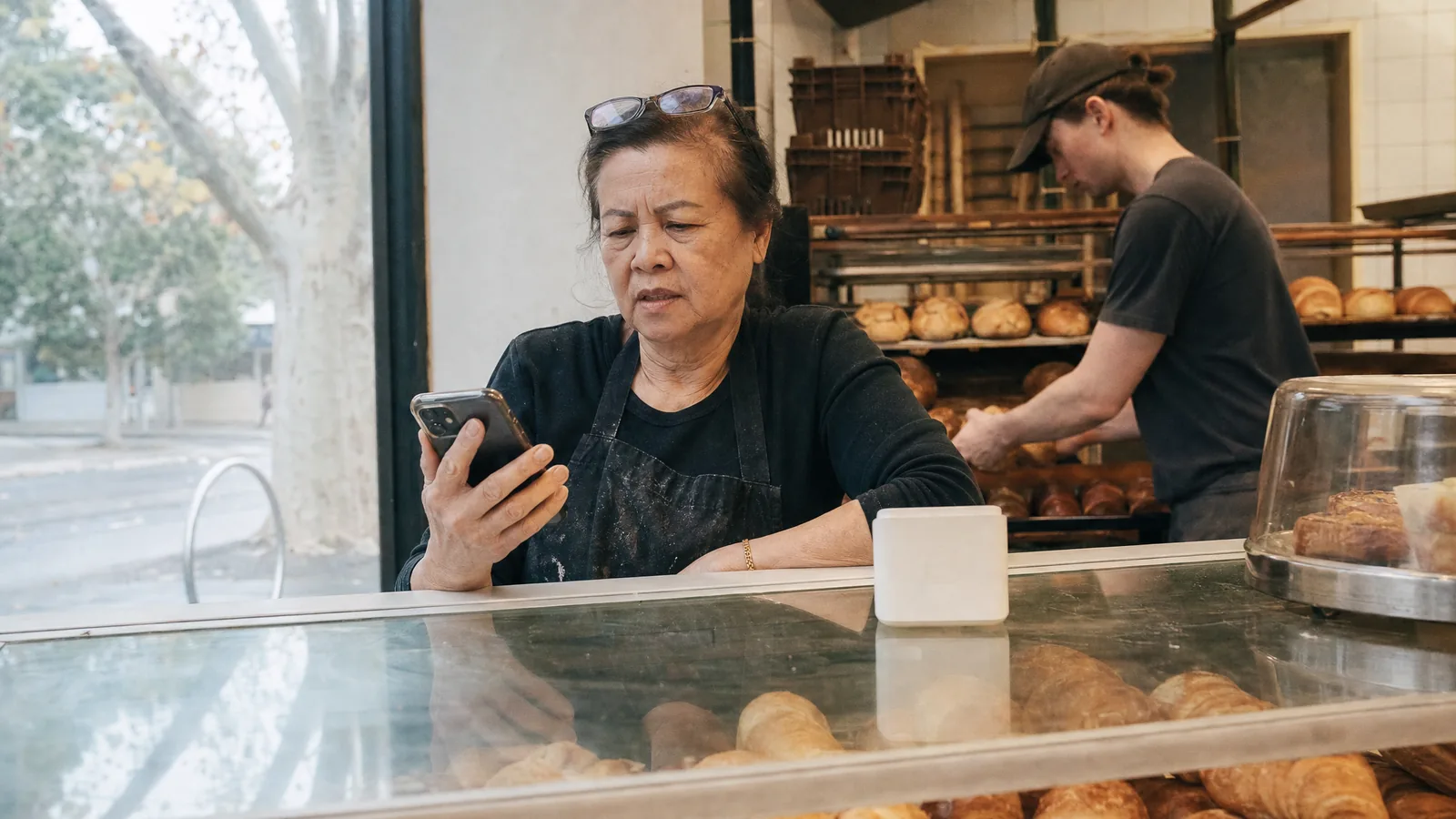
A customer searches your business name on a Saturday morning, sees "Closed", and drives to your competitor. You were open. The hours on your Google My Business listing were changed three months ago, and nobody in the shop knew.
We see some version of this on most listings we audit for the first time. Not because the owners are careless, but because a Google My Business listing is not a thing you set once and forget. Google changes it. Members of the public change it. Old details outlive the staff who entered them. Most listings we open are quietly wrong in at least one place, and the owner finds out from a customer, if they find out at all.
This guide gives you the ten-minute check, the nine ways a listing goes wrong, the fixes, and the one setting that stops most of it from happening again. Do it today, then every six months.
- The free Google review system: once the listing is right, reviews are what lift it up the map.
- Why is my business not showing on Google Maps?
- Google Business Profile optimisation: the complete guide
- How to respond to Google reviews
First, the name change, because it confuses everyone
Google My Business is now called Google Business Profile. Google renamed it in 2021 and moved the controls out of a separate dashboard and into Google Search and Google Maps. If you are signed in to the Google account that owns the listing and you search your business name, the editing panel appears at the top of the results.[7] That is the whole interface now.
Nothing about the listing itself changed. It is still the panel with your hours, phone, address, reviews and photos that appears on the right of a search and on the map. Most owners still say Google My Business, most customers still search for it under that name, and we will use both names here. Just know that if you go looking for a "Google My Business app", it no longer exists.
Why the listing breaks without you
Owners assume the listing only changes when they change it. Google's own help pages say otherwise. Google "gathers info from different sources, like user reports and licensed content", and it "may update your profile if sources report that your profile info is incorrect or outdated".[1] When that happens, a notice appears at the top of your profile editor and the changed fields show in blue.[1] If nobody is signed in and looking, the notice sits there and the change stays live.
The Western Australian government's small business agency puts it bluntly: "anyone with a Google account can 'suggest an edit' to your listing and the change may be published by Google without your knowledge".[6] That includes a well-meaning customer who thought you had moved, a bored teenager, and occasionally a competitor.
Add the ordinary drift of running a business, a new number, new hours after Christmas, a website rebuilt on a new address, and you get the pattern we see: a listing that was perfect the day it was set up and has been slowly diverging from reality ever since.
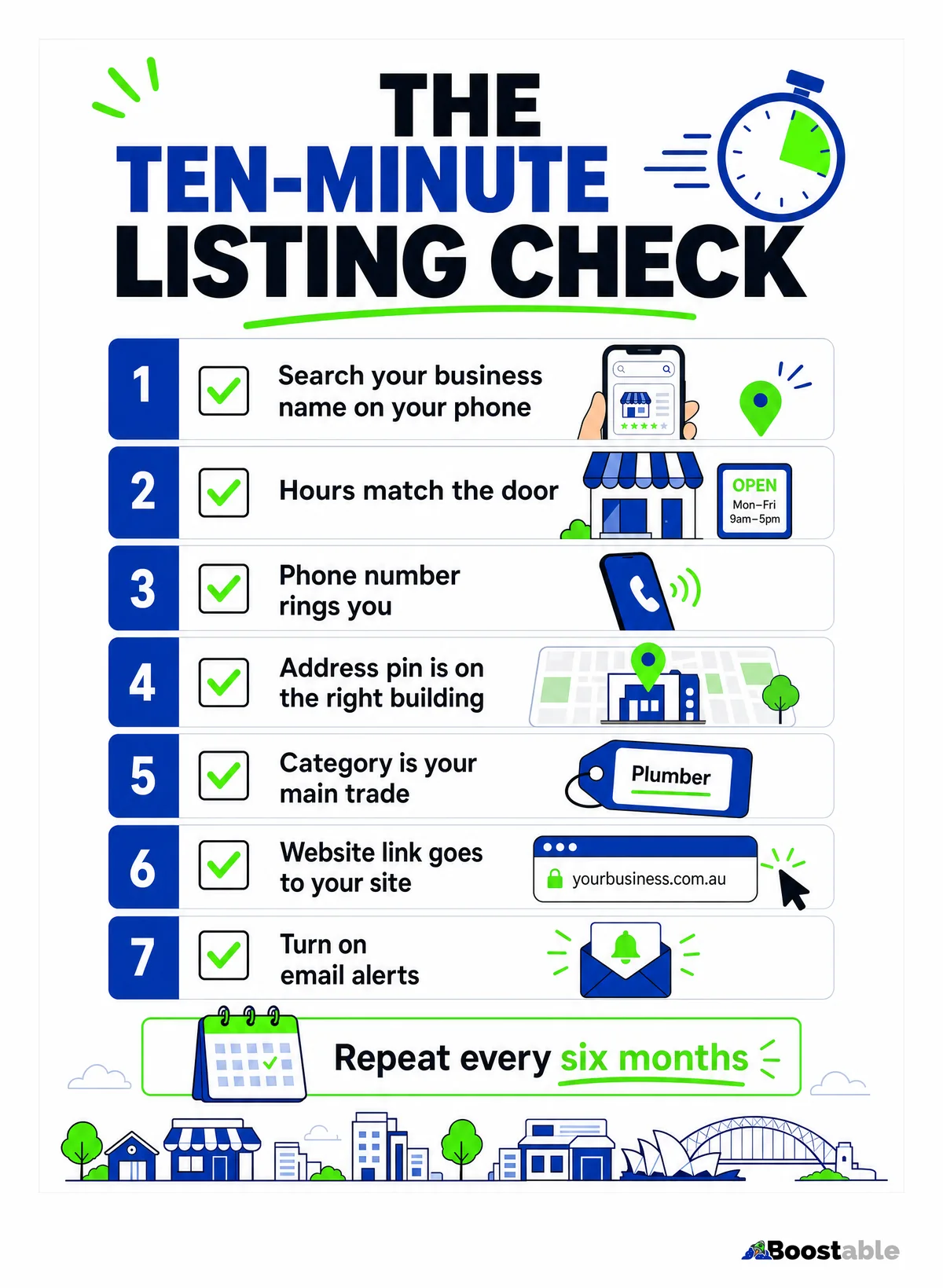
The ten-minute check
Do this on your phone, not the office computer, because your phone is what your customers use. Sign out of your business Google account first so you see what a stranger sees, then sign in for the fixes.
Search your name
Type the business name into Google on your phone. Does your listing appear? Is it the only one? Is the name spelled the way it is on your sign?
Hours match the door
Compare every day to what is actually on the door, including public holidays. "Closed" on a day you trade is the most expensive error on the list.
Tap the phone number
Ring it. Does it go to someone who can take a job? Old mobiles, disconnected landlines and a receptionist who left in 2022 all count as broken.
Tap Directions
Does the pin land on your building? A pin two streets away, or on the wrong side of a highway, sends people to a paddock.
Check the category
Under the name it says "Plumber" or "Cafe" or whatever Google thinks you are. Is the main category your main trade?
Tap Website
Does it open your current site, not the old one, and not a "this domain is for sale" page?
Sign in and look for blue
Open the editor. Any notice at the top about Google updates? Any fields in blue? Those are changes Google made that you have not reviewed.[1]
If all seven pass, you are in better shape than most of the businesses on your street. If any fail, keep reading, because the fix is usually quick and the cause is usually one of the nine below.
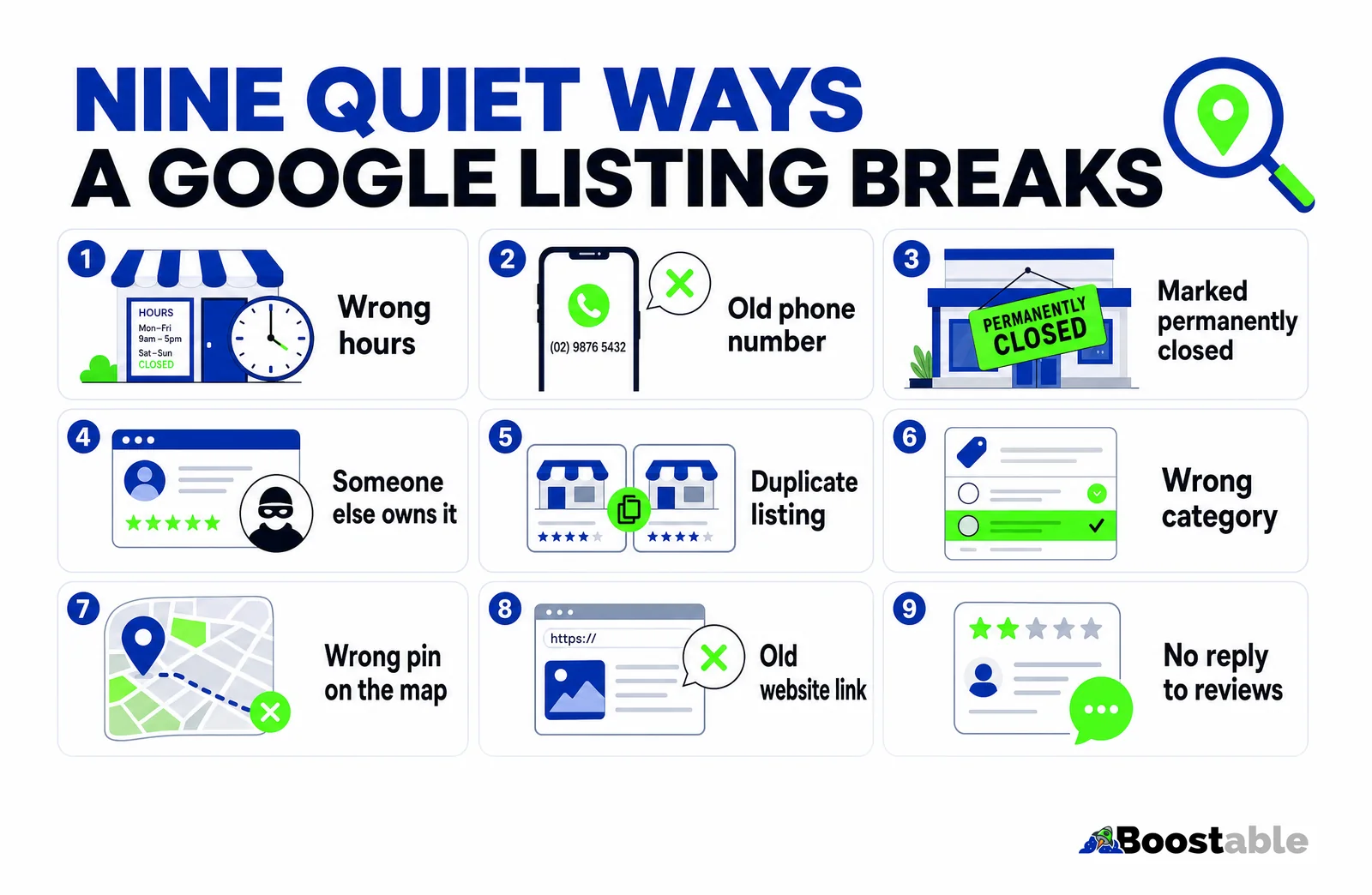
The nine quiet ways a listing breaks
1. Wrong hours
The most common one, and the most costly, because a "Closed" label turns customers away at the exact moment they were coming to you. Google asks for your "regular customer-facing hours of operation" and lets you set special hours for holidays.[3] Hours drift when a business changes its trading days, when a Google update pulls hours from another website, or when a customer suggests an edit on a day you happened to be shut. Check every day of the week, and set the public holidays now rather than in December.
2. An old phone number
Businesses change numbers more than they think. A tradie switches mobiles. A shop drops the landline. The old number stays on the listing because nobody remembers it is there. Google's guideline is that the number should connect to your individual business location, and it prefers a local number over a central call centre line.[3] The test is simple: tap it and see who answers.
3. Marked permanently closed
This is the nasty one. A member of the public suggests your business has closed, Google publishes it, and your listing shows a red "Permanently closed" label to everyone who searches. Customers do not call to check. They assume you have gone. The fix takes a minute once you are signed in, but you have to know it happened, which is why the notification setting at the end of this guide matters.
4. Someone else owns it
An old web designer, a former business partner, a marketing company you stopped paying, or a staff member who set it up on their personal Gmail and then left. If you cannot sign in and see the editing panel, you do not control the listing. Google says verifying "tells Google that you're authorized to represent the business, so it's more likely to show up in search results",[4] and control also means you are the one who gets the update notices. Request ownership from the current owner through the listing; if they do not respond within Google's window, Google lets you claim it.
5. A duplicate listing
Two listings for the same shop, usually one created years ago under an old name and one created later by someone who could not find the first. Google's guideline is one profile per location.[3] Duplicates split your reviews, confuse the map, and are one of the things that can get a profile suspended. Find the one with the reviews, keep it, and mark the other as a duplicate.
6. The wrong category
Your main category is the single biggest relevance signal on the listing. Google's ranking help page names relevance, "how well a Business Profile matches what someone is searching for", as the first of its three local ranking factors.[4] A plumber listed as "Contractor" does not match "plumber near me". An electrician listed as "Electrical supply store" gets calls asking for cable by the metre. Set the main category to what you actually do most, and add the secondary ones underneath.
7. The pin is in the wrong place
The map marker was dropped roughly when the listing was created and never moved. Distance is Google's second ranking factor,[4] so a pin on the wrong block is both an inconvenience for customers and a small ranking problem. Drag it onto the building. If you are a service business with no shopfront, hide the address and set service areas instead; Google keeps those within about two hours' drive of your base.[3]
8. The website link goes nowhere useful
A rebuilt site on a new domain, an old link to a Facebook page, or a link to a landing page that no longer exists. The website link is the second most tapped button on a listing after the phone. Point it at your homepage, or better, at the page for the service people are searching for.
9. Reviews with no replies
Not a broken field, but a broken signal. Google says "positive reviews and helpful replies can help your business stand out", and that replying "shows that you value their feedback".[4] A listing with twenty reviews and no replies reads as unattended, to Google and to the next customer. Two lines each, start with the oldest.
"Tamhas from Bootable Digital Marketing is, friendly, easy to work with and always responds to calls and messages in a timely manner. A webpage and google map work was done for me and I am very happy with the results."
The Tree Legged Man ★★★★★ Verified Google review
The "google map work" in that review was mostly the list above: claiming the listing, fixing the category, moving the pin, and setting it up so it stayed right. None of it is clever. It is just checked.
Listing sorted? The next thing that moves it up the map is reviews. The system that asks for them is free.
Get the free review systemClaim it before you fix it
If you found in step one that you cannot see an editing panel, everything else waits until you can. An unclaimed listing can be edited by the public and by Google, and by nobody who cares about it.
Claiming means proving to Google that you are the business. Google offers a few verification methods depending on the business type and how much history the listing has; the common ones are a video call or a recorded video walk-through of the premises, a phone or text code, and for some businesses a postcard to the address. Start by searching your business name while signed in and following the "Own this business?" link on the listing.
Once verified, go through every field in the editor. Google lists what you can change: name, category, address, service area, hours, phone, website, social links, photos, description and opening date.[7] Fill in every one of them. Google's ranking page says businesses "with complete and accurate info are more likely to show up in local search results".[4] Empty fields are a ranking cost, not just a cosmetic one.
| Field | What Google uses it for | The mistake we see most |
|---|---|---|
| Business name | Matching searches for you by name | Adding suburbs or keywords ("Best Plumber Frankston") against Google's guideline[3] |
| Main category | Relevance to "plumber near me" type searches | A vague category chosen years ago |
| Hours | The Open or Closed label customers see first | Public holidays never set; old trading days |
| Phone | The Call button | A number nobody answers |
| Address or service area | Distance ranking and the map pin | Home address shown for a mobile business; pin off the building |
| Website | The Website button and a relevance signal | Old domain; link to a social page instead of the site |
| Services and description | Matching more specific searches | Left empty |
| Photos | Customer confidence and engagement | One blurry logo from 2019 |
What happens after you hit save
Edits do not always go live instantly. Google reviews changes to a verified profile "to ensure they follow our guidelines", and says edits "usually take up to 10 minutes to review, but sometimes it can take up to 30 days".[2] An edit can come back as accepted, pending, or not approved, and a rejection can be appealed.[2]
Rejections are usually about the name. If you tried to add a suburb or a service word to your business name, Google's guideline that the name should be "your business's real-world name, as used consistently on your storefront, website, stationery" is what tripped it.[3] Use the name on the sign. Put the suburbs and services in the fields built for them.
Suspended? Here is what that means
Occasionally a check reveals something worse than a wrong field: the listing has vanished. Google says it "may suspend or disable Business Profiles that don't follow our guidelines".[5] While suspended, the public cannot see the profile and the owner cannot manage it.[5]
The usual triggers are the ones from the table above: a keyword-stuffed name, a duplicate, an address that is not a real staffed location, or a service area that stretches across half the state. The way back is Google's appeal process, where you submit proof that the business is real, such as a business registration, a licence or a utility bill, and wait for a decision by email.[5] Fix the guideline problem before you appeal, or the appeal fails.
"Great team. Tamhas is very knowledgeable and gave great advice on our existing site and what could be improved. He loves going into details and really trying to help out as much as he can. I really recommend Boostable and Tamhas. Thanks guys."
Marcus ★★★★★ Verified Google review
The one setting that stops most of this
Turn on the notifications. In the profile settings there is an option for Google to email you when it has updates for your profile, when a review arrives, and when something needs your attention. Most of the damage in the nine-way list happens because a change sat unnoticed for months. An email the day it happens turns a three-month problem into a three-minute one.
Make sure the email goes to an address someone reads. The account that owns the listing is often an old one nobody logs into, which is how the notifications get missed in the first place. If that is you, add a second owner on your everyday address.
While you are in there, do the rest
Once the listing is accurate, the same session is a good time to make it strong. The WA small business agency's advice is to "regularly post original photos, videos and updates to help your listing appear higher in the search results", and to keep seeking and responding to reviews.[6] Google's own ranking page agrees on both counts.[4]
✓ Wins the map
- Every field filled, including services, description and attributes
- Twenty or more real photos of jobs, the team and the premises, added over time
- A steady flow of reviews, each with a short reply
- A post every week or two: a job done, an offer, a holiday notice
- Products or services listed with prices where you can
- Notifications on, checked by a real person
✗ Merely correct
- Name, phone and hours right, everything else blank
- One logo and a stock photo
- Eleven reviews from 2021, no replies
- Never posted
- No services listed, so "emergency plumber" does not match
- Owned by an account nobody checks
The left column is not more work than the right; it is the same work spread over time instead of never. Ten minutes a fortnight keeps a listing in the left column.
- Run the seven-step check on your phone, signed out, and write down every field that is wrong.
- Sign in. If you cannot see the editor, start the ownership request or the verification today, because it can take days.
- Fix the wrong fields. Hours and phone first, then the pin, then the category.
- Look for the Google updates notice and the blue fields, and accept or reject each one.
- Search your name once more and look for a second listing. If there is one, report it as a duplicate.
- Turn on email notifications and make sure they go to an inbox someone reads.
- Reply to every review without a reply, oldest first, two lines each.
- Put a reminder in the calendar for six months from today.
The quiet truth
Your Google My Business listing is the first thing most customers see about you, and it is being edited by people who are not you. Google says so in its own help pages. The businesses that win the map are not the ones with a perfect listing on day one. They are the ones with somebody who checks. Ten minutes today, ten minutes every six months, and the notifications on. That is the whole job.


