Google Ads for Small Business: Why Video Beats Still Images, and How to Make One This Week
Google Ads for small business works better with a real video in it. Google's own rules on where it shows, what happens when you don't upload one, the 15-second structure that works, and how to film it on a phone.

By Boostable · 13 September 2026
Websites and SEO for Australian businesses · ~12 min read


Same product. Same budget. Same audience. One campaign runs a still image. The other runs a 15-second video of the owner's crew doing the job. In the accounts we manage, the video campaign wins, and it isn't close. That is the single most useful thing we've learned about Google Ads for small business: the creative decides more than the bidding does, and a real video is the creative that works.
This post is the long version. Where Google actually shows your video, what Google quietly does when you don't upload one, the 15-second structure we use, the three formats Google wants, what it costs and how to cap it, and how to film the thing on a phone this week. Every rule quoted here is Google's own, with the page it came from in the sources at the end.
- Google Ads management with Boostable: the video, the campaign and the monthly numbers, done for you.
- Don't lose money on Google Ads default settings
- Google reviews for business: how they actually drive sales
- Why most Google review strategies miss the point
Why video wins the glance
People don't read ads. They glance at them. A still image gets a fraction of a second before the thumb moves on. Movement holds the eye a little longer, and a little longer is all it takes to land one line, show one thing and earn one tap. Video isn't cleverer than a photo. It's harder to scroll past.
It also meets people where they already are. The ACMA found that in 2025, 91% of Australian adults used an online service to watch video in a given week,[7] and its 2024 research put YouTube at the top of the list, with 57% of Australians watching in a week.[8] Your customers are watching video every day. The question is whether any of it is yours.
Google's own creative research backs the instinct. Its ABCD framework for video ads (Attention, Branding, Connection, Direction) was validated with Kantar, and ads that follow it deliver "as much as a 30% lift in short-term sales likelihood and a 17% lift in long-term brand contribution."[5] That's Google telling you what to put in the video. We'll get to the recipe.
Where Google actually puts your video
Most small business owners think a video ad means a YouTube ad. It's bigger than that. Performance Max, the campaign type most small accounts run today, is what Google calls "a goal-based campaign type that allows you to access all Google Ads inventory, including YouTube, Display, Search, Discover, Gmail, and Maps, from a single campaign."[1] One video, uploaded once, and Google decides where it earns its keep.
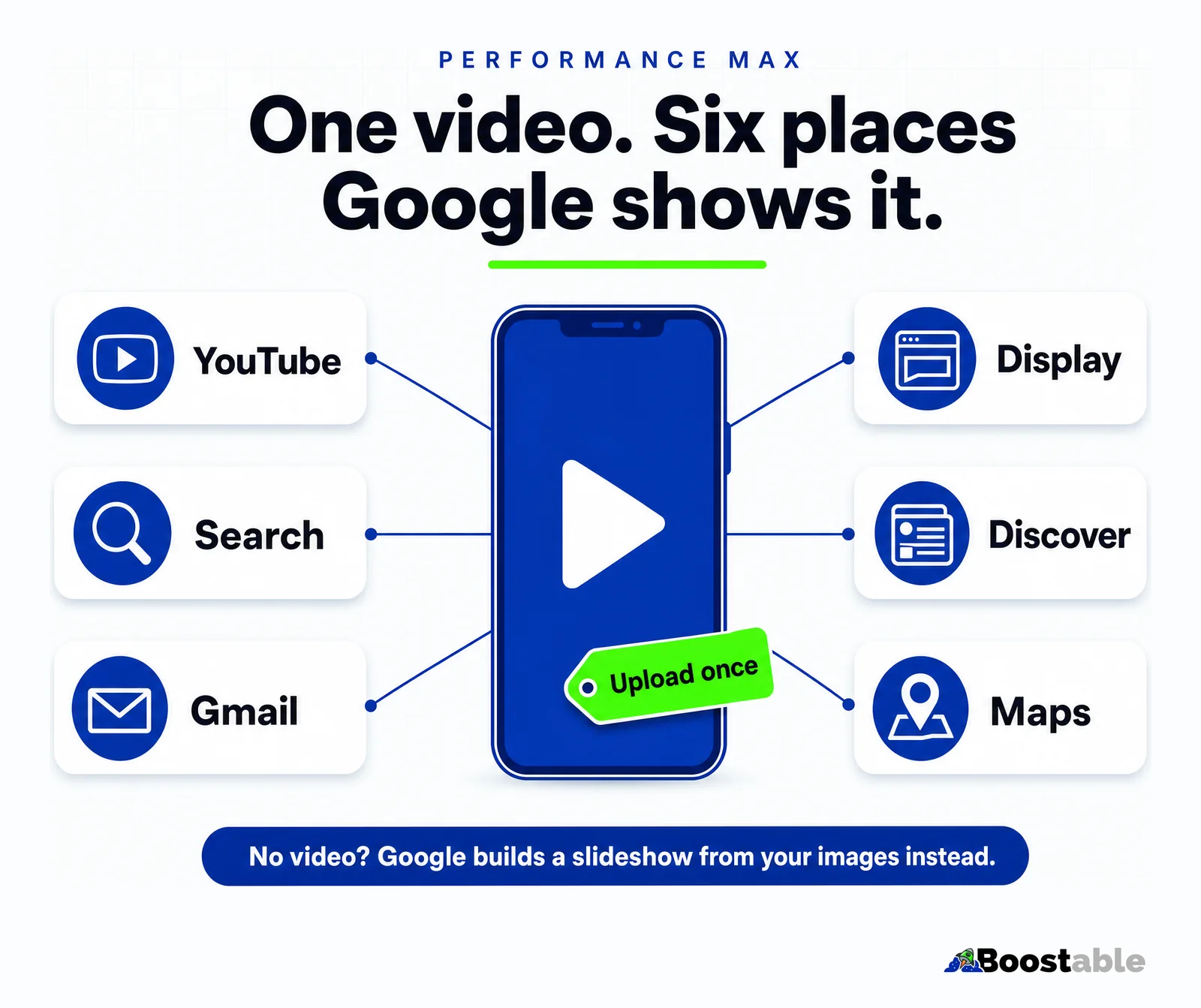
On YouTube itself, the main format is the skippable in-stream ad. After five seconds the viewer can skip it, and you're charged only when they watch 30 seconds (or the whole thing, if it's shorter), or interact with it.[6] Read that again: a 15-second ad that someone skips at second six costs you nothing. Only the people who watch it through, or tap it, cost money. That's a very good deal for a business whose ad is worth watching, and a very bad one for a business running a slideshow.
The same video can also appear between Shorts in the Shorts feed, and across the websites and apps on Google's video partner network.[6] Vertical is the format that gets you into Shorts, which is why the three-format section below matters.
The slideshow trap
Here's what most people running Performance Max don't know. Google's help page is plain about it: "If you don't add a video to your Performance Max asset group, then one or more videos may be auto-generated from the assets in your asset group."[2] Those videos are "created automatically by Google AI when you don't have active, user uploaded videos," built "using your existing images and text assets."[4]
In practice that's your logo, three photos and a headline, stitched into a slideshow with stock music. It looks like every other auto-made ad on YouTube, because it is. And it's running right now on a lot of accounts whose owners have never seen it, spending their money on placements the campaign was never given anything decent to fill.
Google states that "the system disables auto-generated video ads if the user uploads their own videos."[4] You don't have to hunt for a setting. Put a real video in the asset group and the slideshow stops. If you're running Performance Max and you've never uploaded a video, this is the highest-return twenty minutes available to you this month.
What a good small business video ad looks like
Fifteen seconds. Maybe thirty. Google's guidance for Performance Max is 10 to 60 seconds,[3] and every orientation has to be at least 10 seconds long to be accepted.[2] We film fifteen because it fits the four beats below and nobody gets bored.
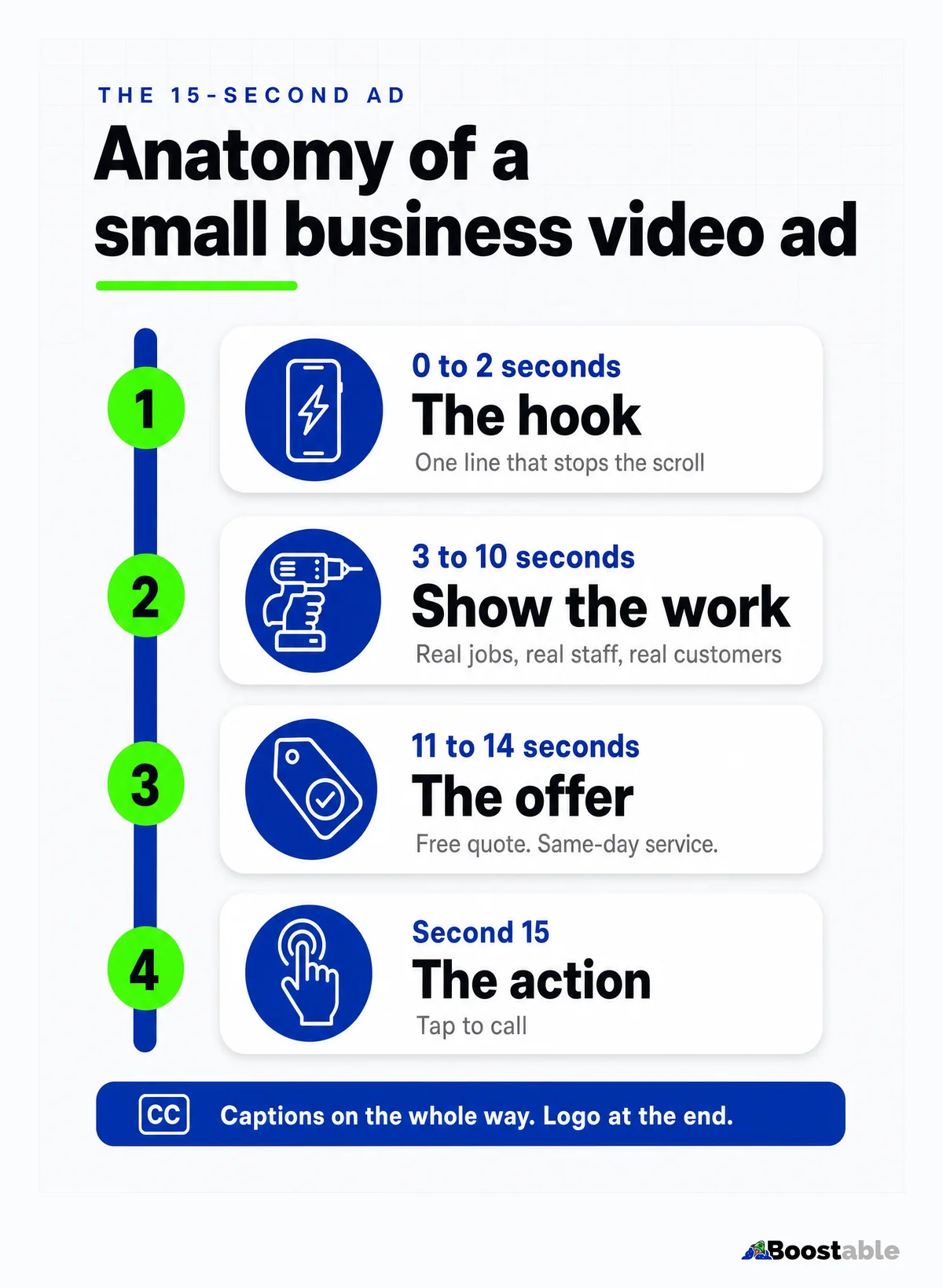
Seconds 0 to 2, the hook. One line that makes the viewer not skip. "Blocked drain on a Sunday? We're open." "Tree over the fence? Gone by lunch." Google's word for this is "jump in": get to the heart of the story faster.[5] Remember the five-second skip. The hook is the whole ad for most viewers.
Seconds 3 to 10, show the work. The crew on the tools. The product in someone's hands. The van pulling up. A customer who's happy. Real, not glossy. Google's advice is to brand "early, often, and richly,"[5] which for a small business means the shirt, the van and the name in shot, not a logo animation.
Seconds 11 to 14, the offer. "Free quote. Same-day service. Melbourne-wide." Whatever the honest reason is to pick you over the next result.
Second 15, the action. "Tap below to call." Google's fourth principle is Direction: "include a call to action" and "say what you'd like viewers to do."[5] Don't assume they know.
Captions the whole way. A lot of people watch with the sound off. Google's own guidance is to "support the story with audio and supers," reinforcing the message with text on screen.[5] If your ad needs sound to make sense, it doesn't work.
Attention
Hook them in the first two seconds. Tight framing, a real problem, no slow logo fade.
Branding
Your name, your van, your shirt, from the start and throughout. Not just a logo at the end.
Connection
Make them feel something: relief, trust, "these are the people I want at my house."
Direction
Tell them exactly what to do next. Call, tap, book. One action, said out loud and on screen.
"Great service i thank you a-lot for helping me with my company’s online presence & google AdWords campaign, will definitely recommend to friends & family , have recommended all ready to a few people very pleased with the results received."
Dan H ★★★★★ Verified Google review
The three formats Google wants
Google serves video in three shapes: horizontal (16:9) for YouTube on a TV or laptop, vertical (9:16) for Shorts and phones, and square (1:1) for feeds. Its Performance Max guidance recommends at least one of each, with a maximum of 15 videos in an asset group,[2] and the best-practice page goes further: "have at least 3 videos of each orientation including one vertical and one square."[3]
If you only have a horizontal video, Google can crop and flip it: it says horizontal videos "may be scaled to square (1:1) or vertical (9:16) aspect ratios for YouTube Instream and YouTube shorts,"[2] and Google AI can create shorter versions of your original.[4] That's a safety net, not a plan. A machine crop of a landscape shot puts your captions off the edge and your tradie's head out of frame. Film all three on the day. It costs you an extra minute per take.
| Orientation | Ratio | Where it mostly shows | How to shoot it |
|---|---|---|---|
| Horizontal | 16:9 | YouTube on TVs, laptops and tablets[2] | Phone sideways, wide shot of the job, captions low and central |
| Vertical | 9:16 | YouTube Shorts and phone feeds[6] | Phone upright, subject filling the frame, captions in the middle third |
| Square | 1:1 | Feeds and display placements[2] | Film vertical and keep the action centred so it crops cleanly |
| Length | 10 to 60 s[3] | All of the above | Fifteen seconds, four beats, one message |
How to actually get the video made
First, the three reasons we hear for not doing it. "Video is expensive." It was; a phone and a tripod now cost less than a week of wasted clicks on broad match keywords. "I don't want to be on camera." You don't have to be; the best ads show the work, and captions carry the words. "I don't know what to say." Say what you'd say to a customer who walked in: what you do, why you're good at it, how to get in touch. Every one of those excuses used to be fair. None of them are now.
Then the three ways to get it made. None of them are expensive any more.
Do it yourself. A phone on a tripod in good daylight gets you most of the way. Film each take three times: sideways, upright, and upright with the action centred for the square crop. Keep takes short. Add captions in a free editor. If you're stuck for an edit, Google Ads has its own template tool in the asset library: choose a template, add your logo, brand colours, images and text, and pick from Google's fonts and music.[10] It won't win awards, but it's a real video with your footage in it, which already beats the auto-made slideshow.
Hire a local videographer. A half-day shoot in most Australian cities gets you a handful of finished ads plus a library of clips to cut more from later. Best for service businesses that want staff and customers on camera and don't want to think about lighting.
Let us do it. We build the videos as part of the campaign work. You give us access to the jobs and a rough idea of the offer; we handle the filming or the edit, the captions, the three formats and the upload, and we run the campaign around it. That's what our Google Ads management includes.
✓ Earns the click
- Opens on the customer's problem in the first two seconds
- Shows your real crew, van and work, name in shot
- Captions on every line, works with the sound off
- Filmed in all three orientations on the day
- Ends with one clear action: tap to call
✗ Wastes the click
- Opens on a five-second logo animation
- Stock footage of a smiling stranger in a hard hat
- A voiceover with no text, silent on most phones
- One landscape file, machine-cropped for everything else
- The auto-generated slideshow nobody has ever watched
Reviews feed your ads too: a steady stream of five-star Google reviews is what makes a stranger trust the business in the video. The card and the text that collect them are free.
Get the free review systemWhat it costs, and how to keep it under control
The cost question stops more small businesses than the camera does, so here is how the money works in Google's own terms. You set an average daily budget per campaign, "the amount you're willing to spend each day, on average," and "you can edit this amount whenever you like."[9] On a busy day Google may spend up to twice that, but "you won't be charged more than your monthly charging limit," which is 30.4 times your average daily budget.[9]
So a $20 a day budget can never cost you more than $608 in a month, and you can turn it down or pause it whenever you like. On the video side, skippable in-stream ads charge you only for a 30-second watch or an interaction.[6] The people who skip your ad are free. The better the ad, the more of your budget goes to people who actually wanted to watch it.
Where small businesses actually lose money on Google Ads isn't the video. It's the defaults: broad match keywords, search partners, the display network switched on by someone who never looked. We wrote those up separately in the seven defaults that bleed small accounts. Fix the defaults, then feed the campaign a real video, and the same budget starts producing leads instead of impressions.
The mistake most businesses make
They put everything into one perfect video, then run it for a year. Google's system is built to test. Its own advice is three videos per orientation,[3] and up to 15 in an asset group,[2] precisely so it can find the one that works and lean on it. Give it three decent 15-second videos and it will beat one polished 30-second one, because it has choices and you have data.
Film in batches. Three services, three hooks, three days. Keep the winners running, cut the losers, film more. A business with a rolling library of rough, real videos beats a business with one showreel. Every time.
"We are an insurance brokerage based in Hong Kong. Tamhas and his team did a wonderful job revamping our website and increasing our contact with prospects. Business boomed as a result and we started getting more and more enquiries for less and less outlay. Top job, lightning fast website and excellent customer care."
Marc Meldrum ★★★★★ Verified Google review
What to do this week
If you're running Google Ads for your small business without a real video, the starting move is small and specific.
- Open your Performance Max asset group and look at the videos tab. If there's nothing you uploaded, Google is running its own slideshow with your money.
- Pick your three best-selling services. Write one hook line for each, in the customer's words.
- Film each one on a phone, in daylight, three ways: sideways, upright, upright with the action centred. Fifteen seconds. Four beats.
- Add captions to every line. Put your name and van in shot. End on "tap to call."
- Upload all of them, at least 10 seconds each, and check the auto-generated videos have switched off.
- Give it 30 days. Compare cost per lead against the month before, then cut the losers and film the next three.
If the phone-and-tripod approach isn't your thing, or you'd rather a team handled the filming, the campaign and the monthly numbers, that's what we do. Still ads tell. Video ads sell, and Google is already set up to show yours in six places the moment you give it something worth watching.